 Tracka
How can we help?
Answers to the questions we get most often. If yours isn’t here, write to us and we’ll help.
Invite your family
Three taps. The ring shows where.
-
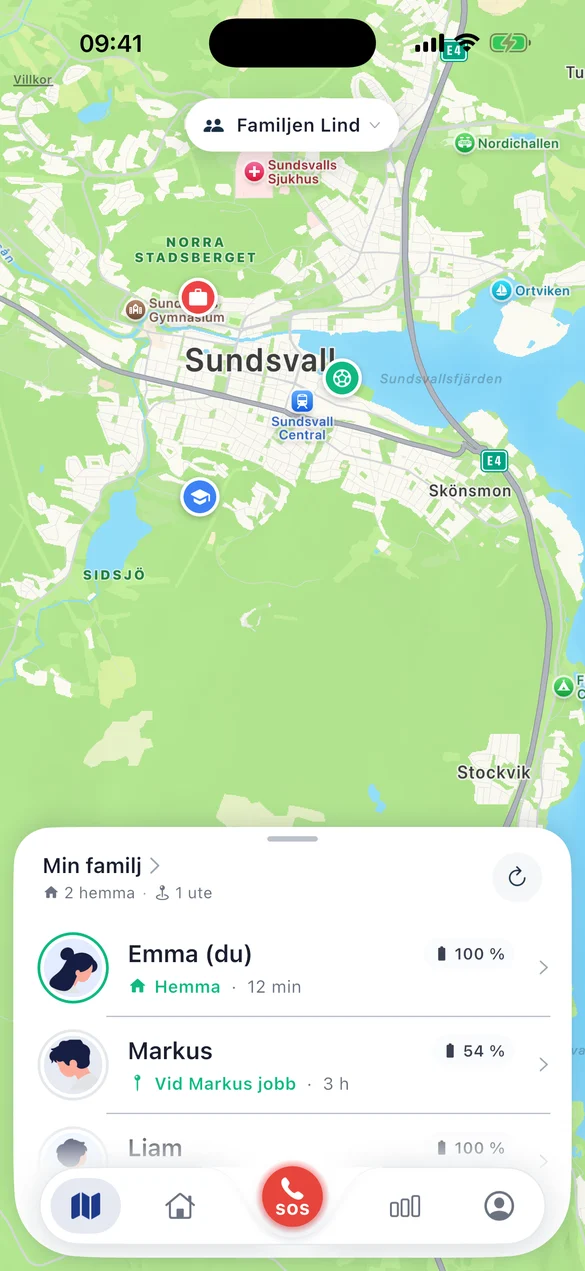 1Open FamilyTap the house at the bottom.
-
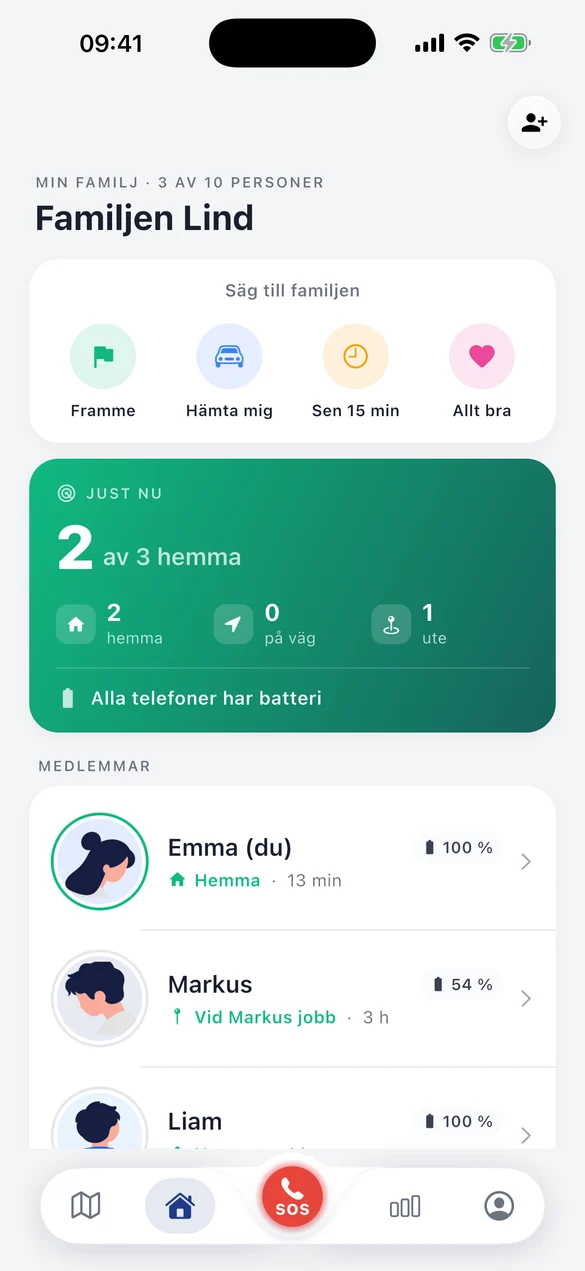 2Tap AddThe button at the top right.
-
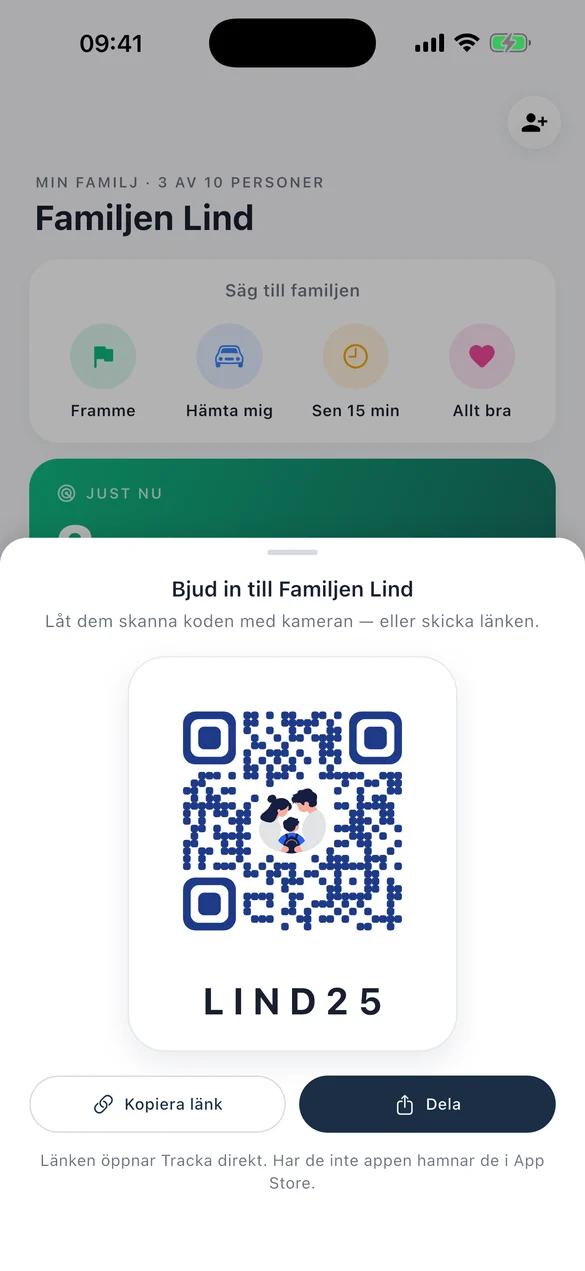 3Share the invitationSend the link, or let them scan the code.
The person you’ve invited downloads Tracka, chooses Join a family and enters the code — or opens the link. You approve them, and then they appear on the map.
Add a place
Home, school, practice — done in a minute.
- 1Open FamilyTap the house at the bottom.
-
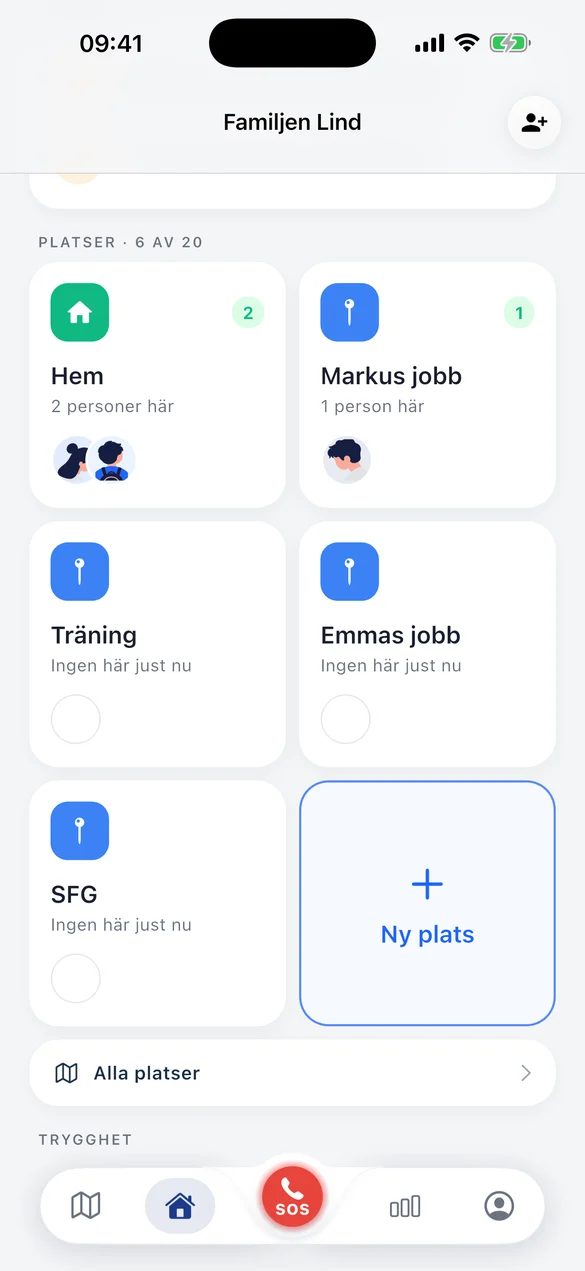 2Tap Add placeScroll down to Places.
-
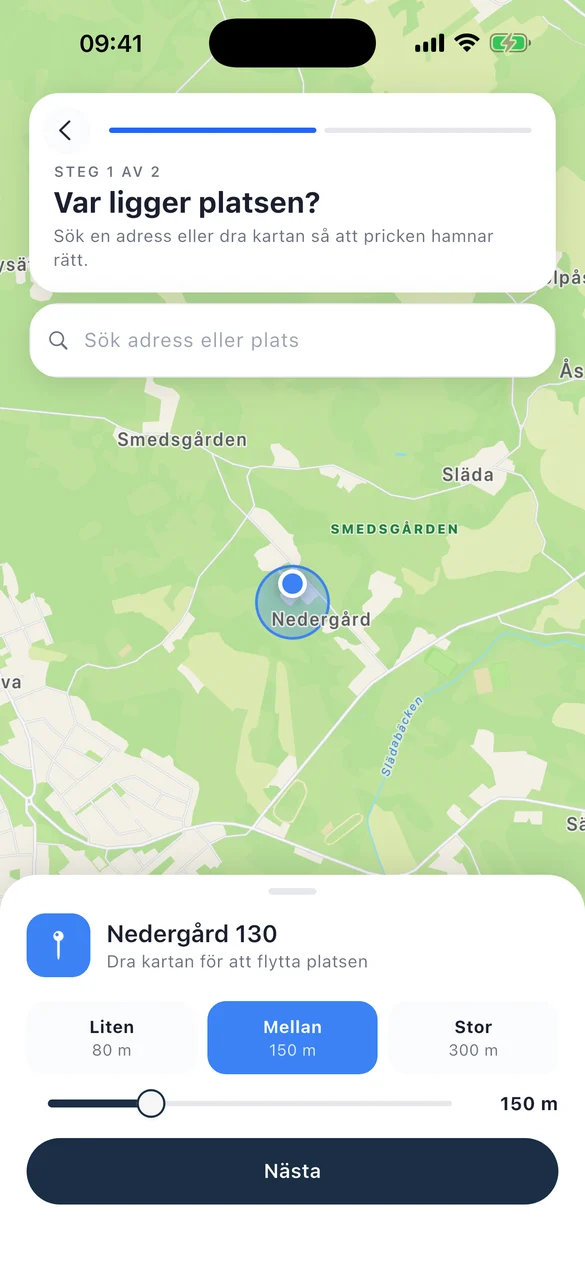 3Follow the stepsSearch for the address, choose a size, give the place a name and choose who gets notified.
The pictures show the app in Swedish.
Email us
contact@tracka.se — we’ll reply as soon as we can.
Getting started
My family isn’t showing on the map
Tracka needs location access set to Always to update the location when the app is closed. On iPhone: Settings → Tracka → Location → Always, and turn on Precise Location. Also check that Background App Refresh is on.
Account
I’ve forgotten my password
Tap Forgot password on the login screen and enter your email address. You’ll get an email with a link where you choose a new password. Check your spam folder if the email is slow to arrive.
How do I delete my account?
In the app: go to the Me tab, tap your name at the top and then Delete account. Your locations and your history are deleted. If you have a subscription, it continues until you cancel it in the App Store or Google Play.
Subscription
How do I cancel?
The subscription is managed by the store you bought it in. On iPhone: Settings → your name → Subscriptions → Tracka. On Android: Google Play → Profile → Payments and subscriptions. It runs to the end of the period.
I’d like my money back
The purchase is made with Apple or Google, and they are the ones who handle refunds. For the App Store: reportaproblem.apple.com. For Google Play: play.google.com/store/account.